Key features
- Cuts over 100 materials including vinyl, cardstock, and fabric
- Fast Mode doubles cutting speed for compatible materials
- Bluetooth wireless connectivity for cable-free operation
- Compatible with Cricut Design Space software and mobile app
- Accepts interchangeable blades, pens, and scoring tools
- 12-inch by 24-inch cut length capability with mat
What we liked
- Wide material compatibility for diverse craft projects
- Intuitive Design Space software with tutorials for beginners
- Fast cutting mode saves time on larger projects
- Reliable precision for detailed and multi-layer designs
- Affordable entry point into the Cricut ecosystem
Worth noting
- Requires ongoing purchase of mats, blades, and materials
- Design Space requires internet connection for full functionality
- Only one tool housing limits simultaneous cutting and drawing
- Learning curve for advanced design customization
Our review
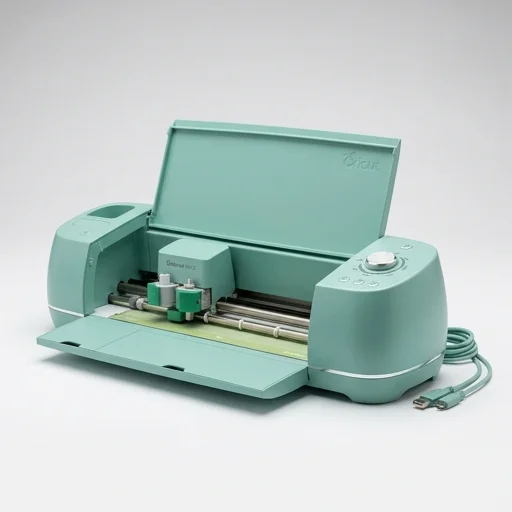
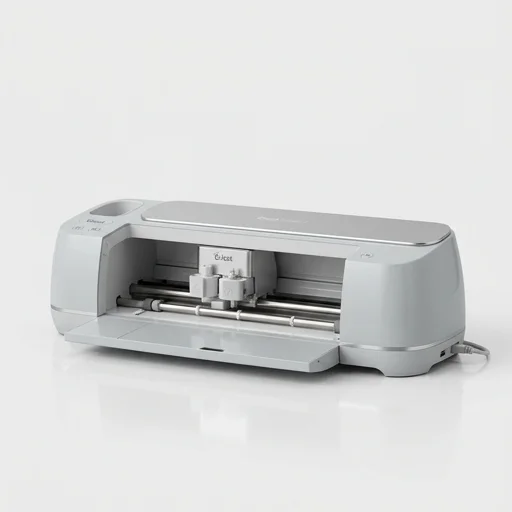
The Cricut Explore Air 2 is a versatile desktop cutting machine designed for crafters who want to bring intricate paper crafts, vinyl decals, iron-on projects, and card making to life. Capable of cutting over 100 different materials, from cardstock and vinyl to fabric and faux leather, this machine pairs with the free Cricut Design Space software to turn digital designs into precisely cut physical pieces. Its fast mode cuts up to twice as fast as previous Cricut models, making it a practical choice for hobbyists who want efficiency without sacrificing detail.
Setup is straightforward thanks to Bluetooth wireless connectivity, allowing users to send designs from a computer, tablet, or phone without dealing with cables. The machine accommodates a single tool housing at a time, but comes with a fine-point blade for detailed cuts, and is compatible with a broad range of Cricut accessories like scoring wheels, debossing tips, and specialty blades sold separately. The adjustable material settings let users dial in pressure and cut depth for everything from delicate vellum to thicker chipboard.
Whether you're a scrapbooker, small business owner making custom decals, or a parent creating personalized party decorations, the Explore Air 2 offers an accessible entry point into machine crafting. Cricut's Design Space library includes thousands of fonts, images, and project templates, while also supporting uploads of your own SVG files for fully custom creations. It's a machine that grows with your skill level, from simple die-cut shapes to elaborate multi-layered designs.
Specifications
Cutting Width11.5 inchesMaximum Cut Length24 inches with extensionConnectivityBluetooth wirelessCutting ForceUp to 100 gramsMachine Weight7.4 pounds What reviewers say
MMarissa T.2024-01-15★★★★★
Perfect for my Etsy shop
I started using this for making custom vinyl decals and it has paid for itself many times over. The fast mode is great when I have bulk orders.
DDevon K.2023-11-02★★★★★
Great machine, some learning curve
Took me a couple weeks to really understand Design Space, but once I did, this thing became indispensable for card making and party decor.
PPriya S.2024-03-20★★★★★
Kids love the personalized projects
We've made custom shirts, labels, and scrapbook pages together. It's precise and the Bluetooth setup was painless.
TTom H.2023-09-10★★★★★
Good but accessories add up
The machine itself works great, but be prepared to spend extra on mats, blades, and specialty materials. Still worth it overall.